Dell Wyse Homelab Upgrade
Posted on 2026-01-24 by DK1MIFor those who know me, it's no secret that I'm a fan of the Dell Wyse 5070. This thin client with an Intel J4105 CPU, 8GB DDR4 RAM, and a 64GB SSD can often be found used in very good condition for around €50. This makes it much more versatile and cheaper than a Raspberry Pi (if you don't need the GPIO ports), which is why I already own four of them. If you don't have high demands, you can run Proxmox with a few smaller VMs on it. But it also works great as a normal PC; I have one of them running in my shack as a ham radio PC.
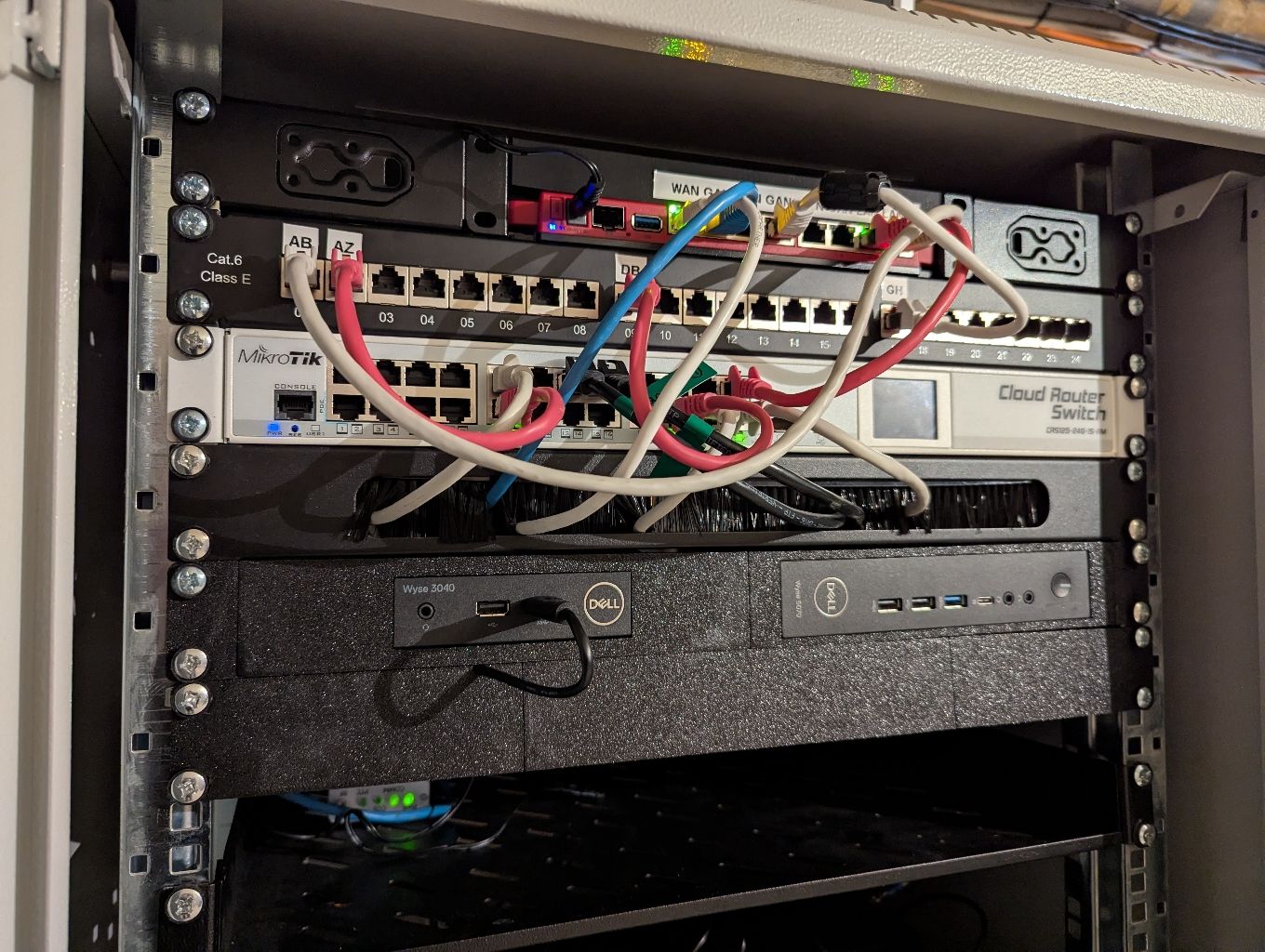
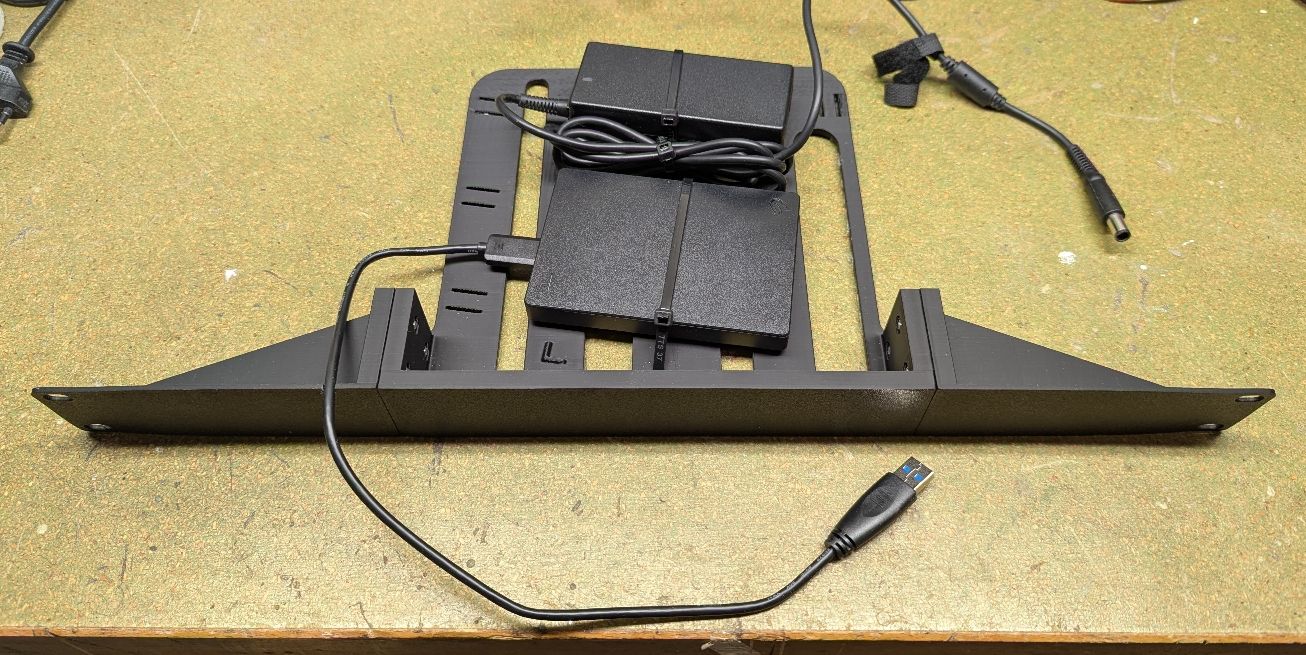
For use in a home lab, there is a module for the Wyse 5070 from the ESRack series by Printables.com user EvilProphet, which I can absolutely recommend. Currently, I have a 3040 running Pi-Hole and a USB drive connected to it for storage of my backups with BorgBackup in addition to a 5070 in the rack. I have also placed the drive together with the PSU on a module from the ESRack series.
Here is a picture of the rack in its current state:
The following is a picture of the HDD/PSU storage module on my workbench:
Preparing a used Wyse 5070 for Homelab Use
If you buy a used 5070 from a commercial dealer, there is a good chance that both the BIOS version is outdated and that a BIOS password has been set.
Resetting the BIOS Password
Once you know how to do it, resetting the BIOS password is very easy. To do this, you need to open a Phillips screw above the ports on the back of the device and then slide the cover of the 5070 backwards. Confusingly, you have to remove the middle jumper labeled “PW CLR” to reset the password.
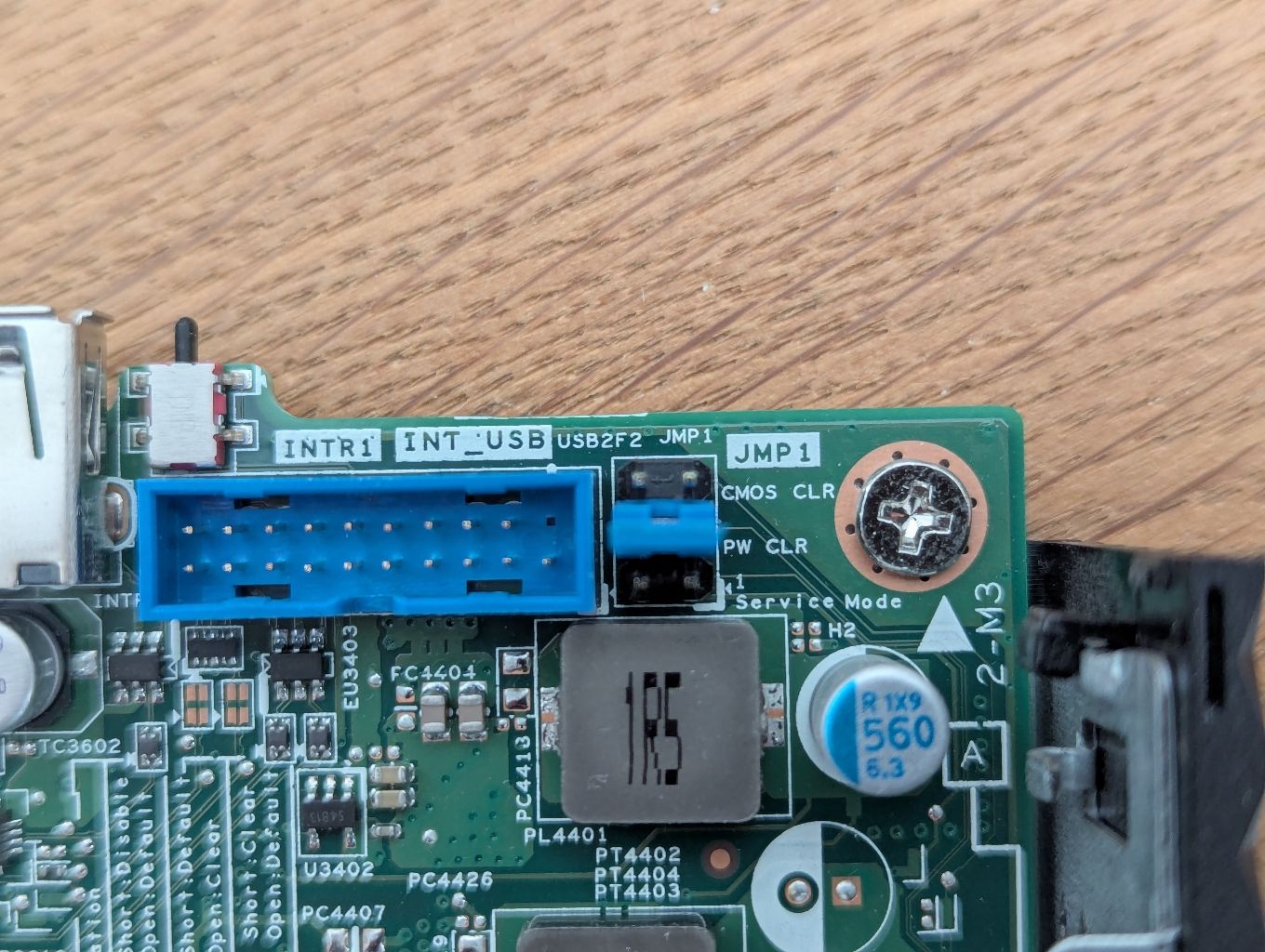
Proceed as follows:
- Turn off the computer
- Remove the jumper
- Turn on the computer
- If necessary, answer the question about whether the password should be reset
- Turn off the computer
- Reinsert the jumper
- Done
Updating the BIOS
To my knowledge, the latest BIOS version is 1.34.0. To perform the update, you need to download the EXE file from Dell, copy it to a FAT-formatted USB stick, start the computer, and go to the boot menu. From there, you can start the BIOS update.
Since it wasn't easy to find the BIOS update file, I uploaded it to my server: Wyse_5070_1.34.0.exe