
Casio ABL-100 vs. Ollee Watch One
Posted on 2026-04-08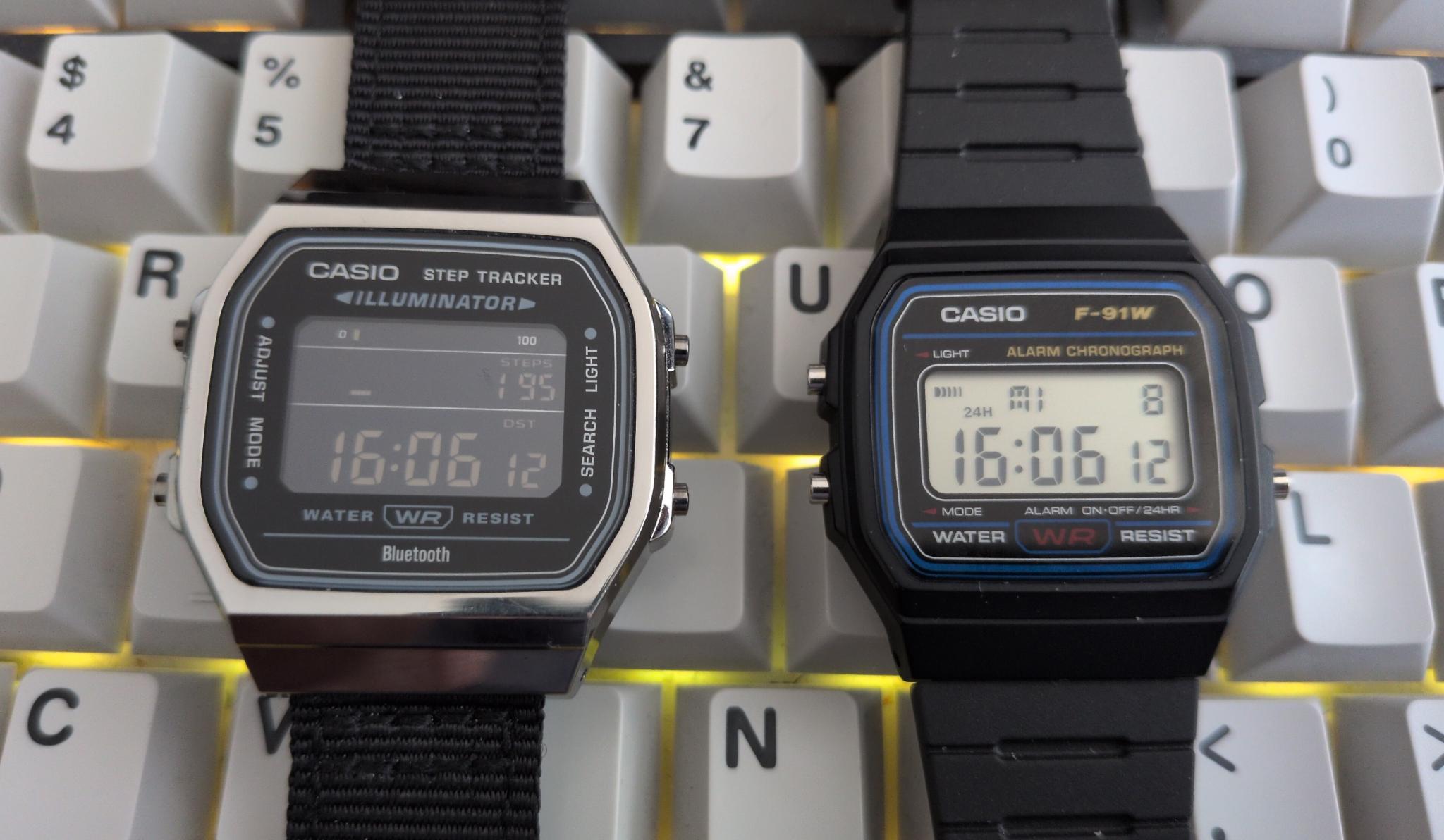
Introduction
First of all, I want to explain how I ended up with a wristwatch in the first place. Until a few months ago, I hadn’t worn a wristwatch since I got a cell phone (about 25 years ago?). When it comes to keeping track of time, I still don’t need one - though that’s not entirely true; more on that later. In any case, I really enjoy going for walks - at least 4 to 5 km every day before I start working. And I love data. So I had the idea to count the steps I take. I don’t want a dedicated step counter device on my belt, so a wristwatch with a step-counting function seemed like the most obvious choice. But I also don’t want a smartwatch, since it’s essentially a mini smartphone on your wrist and is far too distracting. Besides, they’re either expensive with Google, Samsung, and Apple selling my data or cheap, and some no-name company from the Far East sells it.
The Casio ABL-100WE
After doing some research, I’ve come to the conclusion that the Casio ABL-100WE is just right for me: reasonably affordable, classic Casio design, no unnecessary bells and whistles, a step counter and automatic time synchronization via Bluetooth. I decided to go with the dark silver enclosure and the inverted screen. For some reason, I preferred the inverted display to the standard one at the time, but unfortunately, the readability is relatively poor in poor lighting conditions. That’s not Casio’s fault, though; you can also buy the watch with a silver case and a standard display.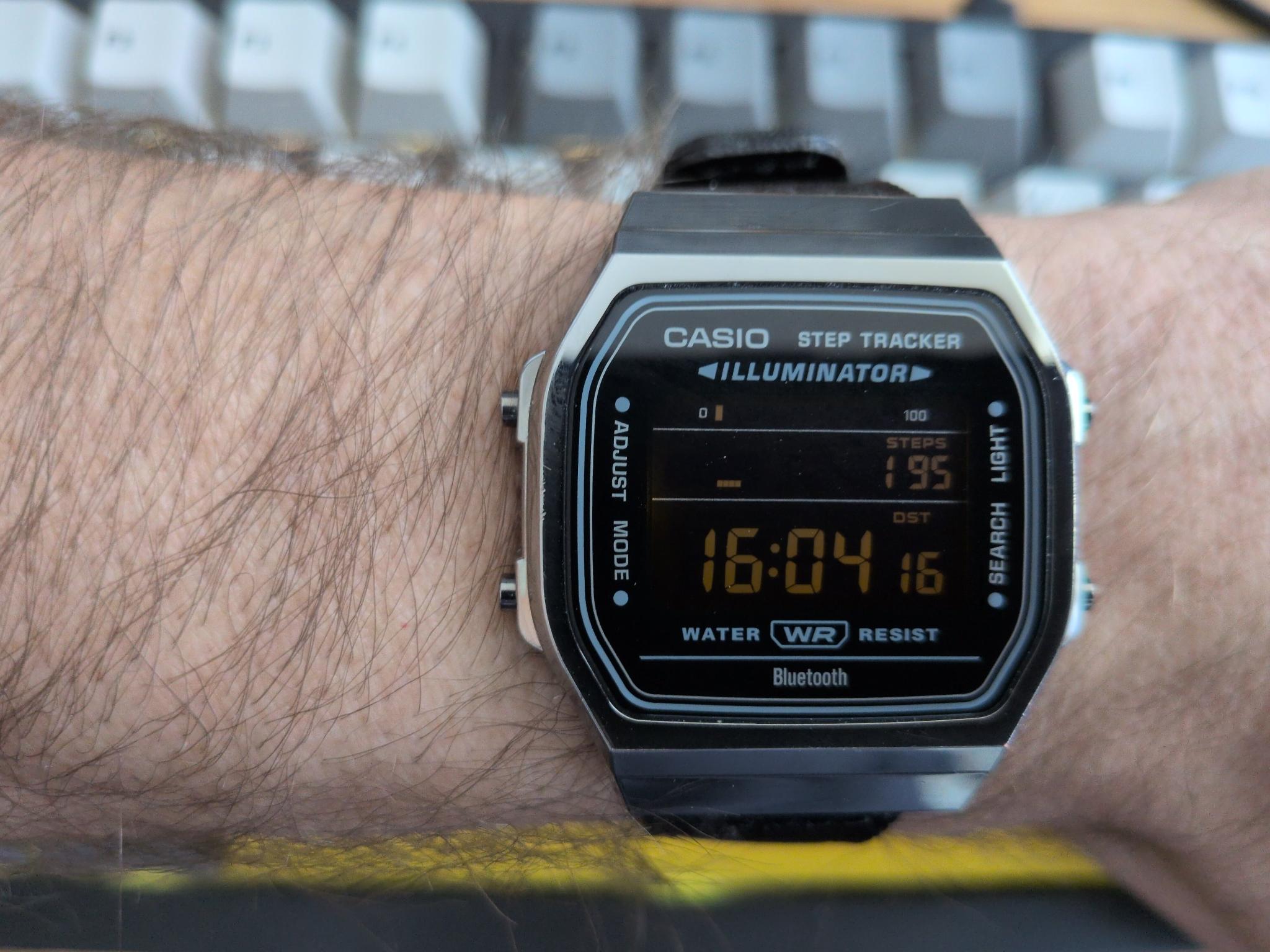
The features of the Casio ABL-100WE are:
- World time: Dual time (home time swapping)
- 1/100-second stopwatch
- Countdown timer
- 5 daily alarms
- Hourly time signal
- LED backlight (amber, selectable illumination duration of 1.5 seconds or 3 seconds)
- Calendar
- Mute feature
- Battery display/alert
- Low battery alert
- 24 months of battery life
Features in combination with the Casio smartphone app:
- Auto time adjustment
- Easy watch setting
- Life log data
- Phone finder
My Verdict on the ABL-100WE
For me, the two most important features of a watch like this are the time display and the step counter. The time is automatically synced via Bluetooth four times a day using the Casio app, so it’s virtually 100% accurate. The step counter is roughly accurate and works perfectly well. Although I have no way of determining exactly how accurate it is, the results match the values I’ve calculated (number of steps * step length ≈ actual distance walked). Another great feature of the step counter is that it initially ignores individual steps. Only once the watch determines that you’re actually walking does it add the steps you’ve already taken, and the step counter starts working. If you’re active, you can collect badges in the app for the steps you’ve taken. I thought it was fun for the first few weeks, but then I lost interest. What I really appreciate is that the default watch face shows the time and the steps at once. This way I don't have to switch watch faces to see my steps or the current time.
Other standard features of a digital watch, such as the alarm and timer, are enhanced by the smartphone app. Using the app, it’s much more convenient to set up to five different alarms and a timer. I would have liked to have multiple timers so that I could, for example, choose the right timer for different types of tea.
In terms of style and appearance, I think the watch is a success. Unfortunately, the included metal bracelet isn’t suitable for people with hairy arms and a normal tolerance for pain. It keeps tugging at my hair and bringing tears to my eyes. Unfortunately, I haven’t found a bracelet that’s comfortable and goes well with the watch.
Overall, it’s a great watch that I’m very happy with. “Unfortunately,” though, I read about the Ollee Watch One shortly after...
The Ollee Watch one
Earlier this year, I learned about the Ollee Watch one. This isn’t a complete watch, but rather a watch module that can be installed in a Casio F-91W, among other models, without any modifications. This module has, by and large, the same features as the ABL-100WE, plus many more. I ordered it right away, along with a standard Casio F-91W. Three months later, the Ollee Watch arrived, and I installed it into the Casio case:
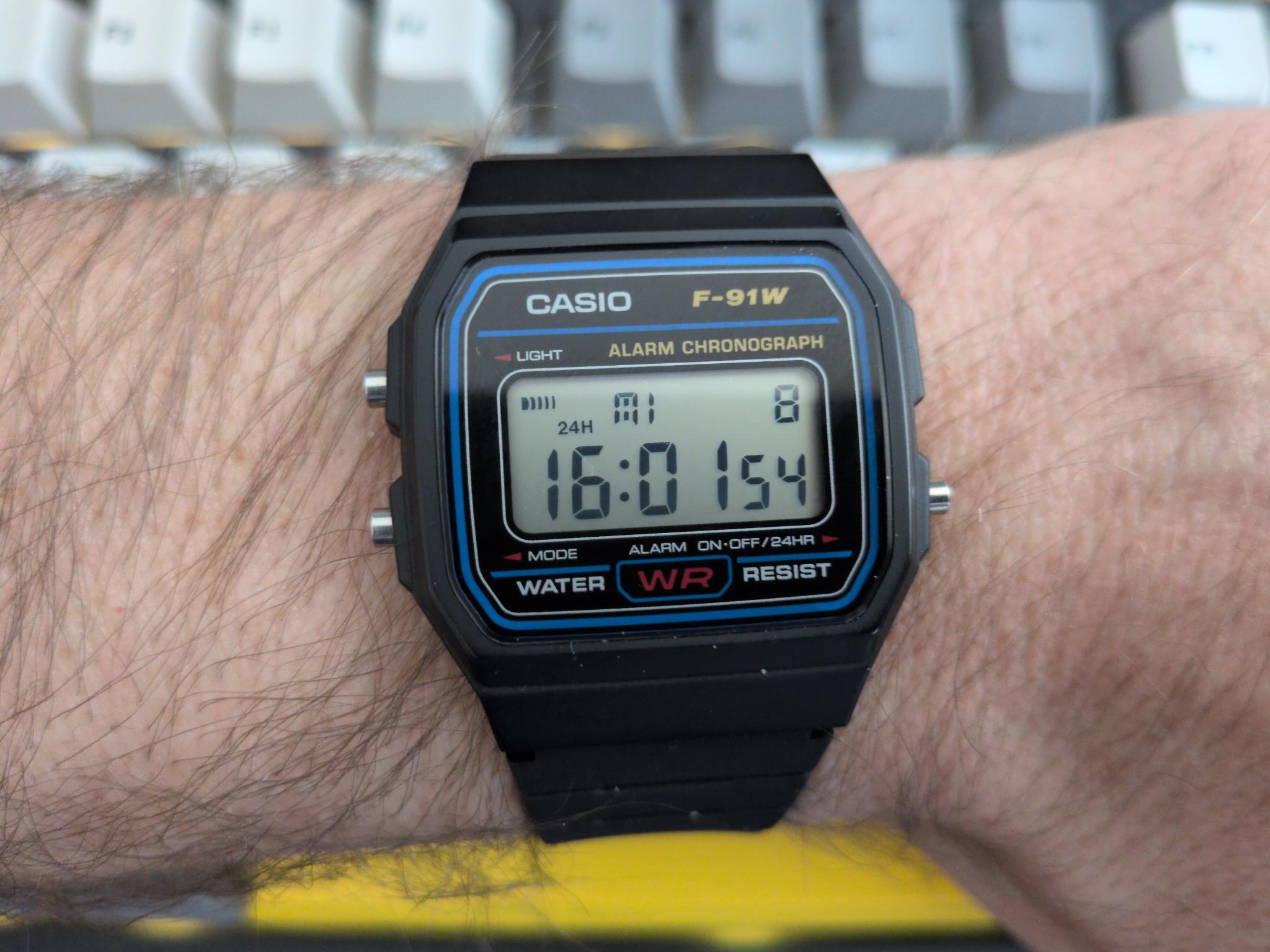
The features of the Ollee Watch one (v1.05.00 / 00.01.07) are:
- Clock with calendar, automatic sync via app
- Alarm with configurable day, chime, snooze and hourly beep
- Stopwatch (1/100-second) with logging, 24 hours maximum runtime
- WorldTime, time zone set in watch or app
- Timer with 10 programmable presets and interval mode
- Sunrise/Sunset time based on location
- Step Counter with daily goal and alert
- Heart Rate measurement with pulsometer
- Temperature with hourly logging
- Tally Counter with logging and timestamp event
- Flashlight with 3 modes
- PING ball and paddle keep-up game
- Blackjack classic casino game
- Poker game, classic 5-card draw
- Set Clock for manually adjusting time and date
- Comes with an NFC tag
- 10 months of battery life
Features in combination with the Casio smartphone app:
- Auto time adjustment
- Easy setting of all possible functions
- Watch faces cann be sorted and deactivated
My Verdict on the Ollee Watch one
First, the things I don’t really like: the Ollee Watch uses the original display from the F-91W, which comes with some limitations. The step counter, for example, takes up the line where the time is normally displayed. As a result, the last two digits of the maximum six-digit number appear in the position where the seconds are normally shown, so these two digits are displayed smaller than the rest. Displaying letters isn’t possible without some compromises either, but you get used to it. The big advantage, however, is that the Casio looks 100% original on the outside, which I really like. Overall, I’m very satisfied with the case and strap of the F-91W: lightweight, classic design, comfortable to wear.
Another thing that initially made me so unhappy that I tried to sell the Ollee Watch was the step counter before the latest firmware update. In that version, it would count steps practically just from tapping the keyboard or shaking your arm. But then version 0.01.07 came out, which not only introduced some great features and improvements but also significantly improved the step counter. What remains is that you have to manually switch the step counter from high accuracy mode to low accuracy mode when you go for a walk. You can do this via the app or directly on the watch, which I prefer.
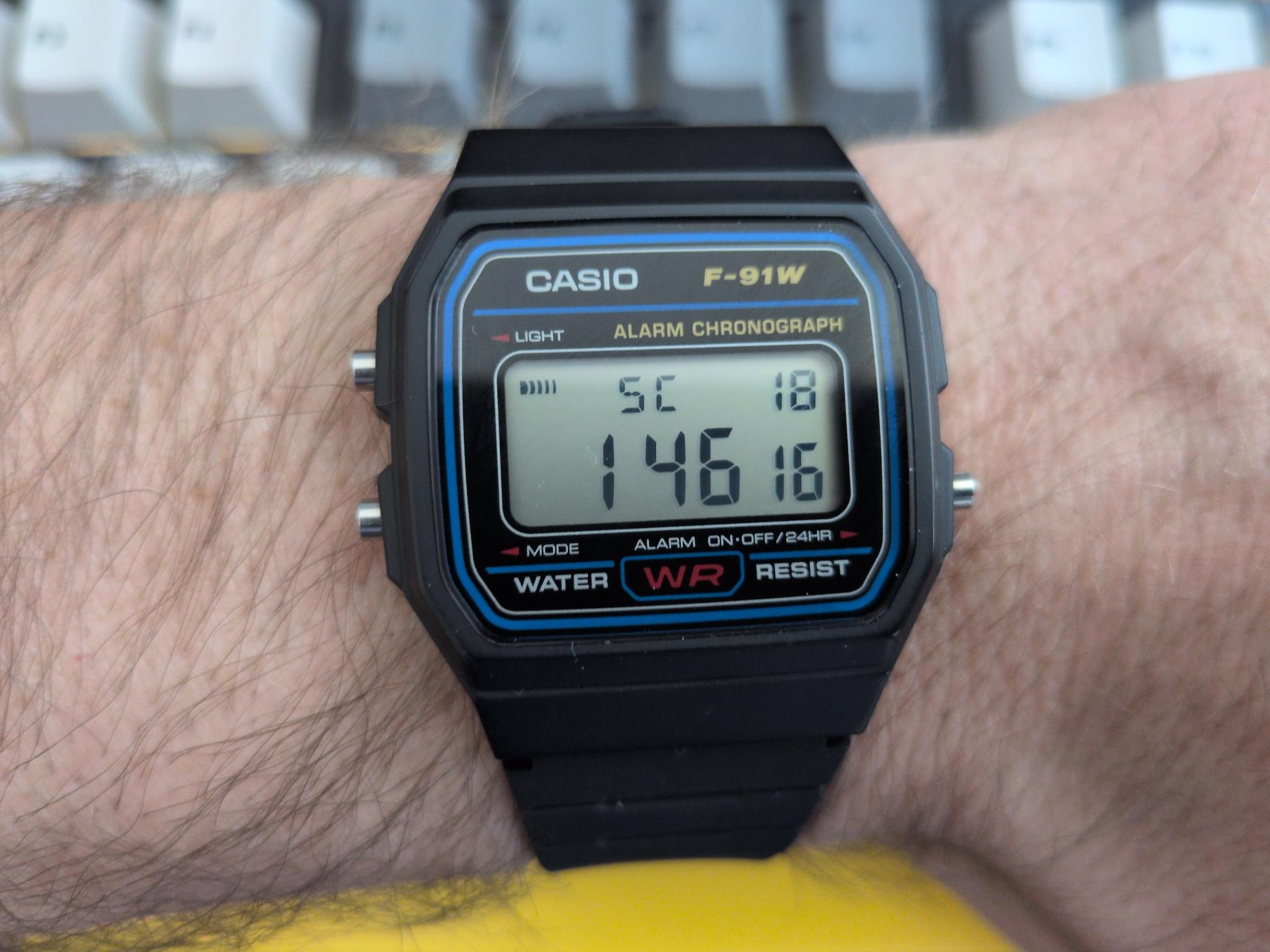
The last minor drawback (also due to the original display) is that the time isn’t shown alongside the step count. To see that, you have to switch watch faces. Fortunately, you can first arrange the watch faces so that the step counter appears right after the clock face, and second, you can mark a watch face as a favorite. If you do this, you can access it either by long-pressing the light button or using a gesture. To do this, you just need to tilt the watch twice briefly, and your favorite watch face will appear. In this case, the watch will switch back to the last watch face after a few seconds.
I think it's great that you can pre-program up to 10 timers, and the tally counter is also very useful. With it, you can count things with the press of a button, and when you reset the counter, the watch sends the value to the Olli app. If you count to just one, the app creates an event with a timestamp. This can be useful if you need to document various events later and can then refer back to the timestamps.
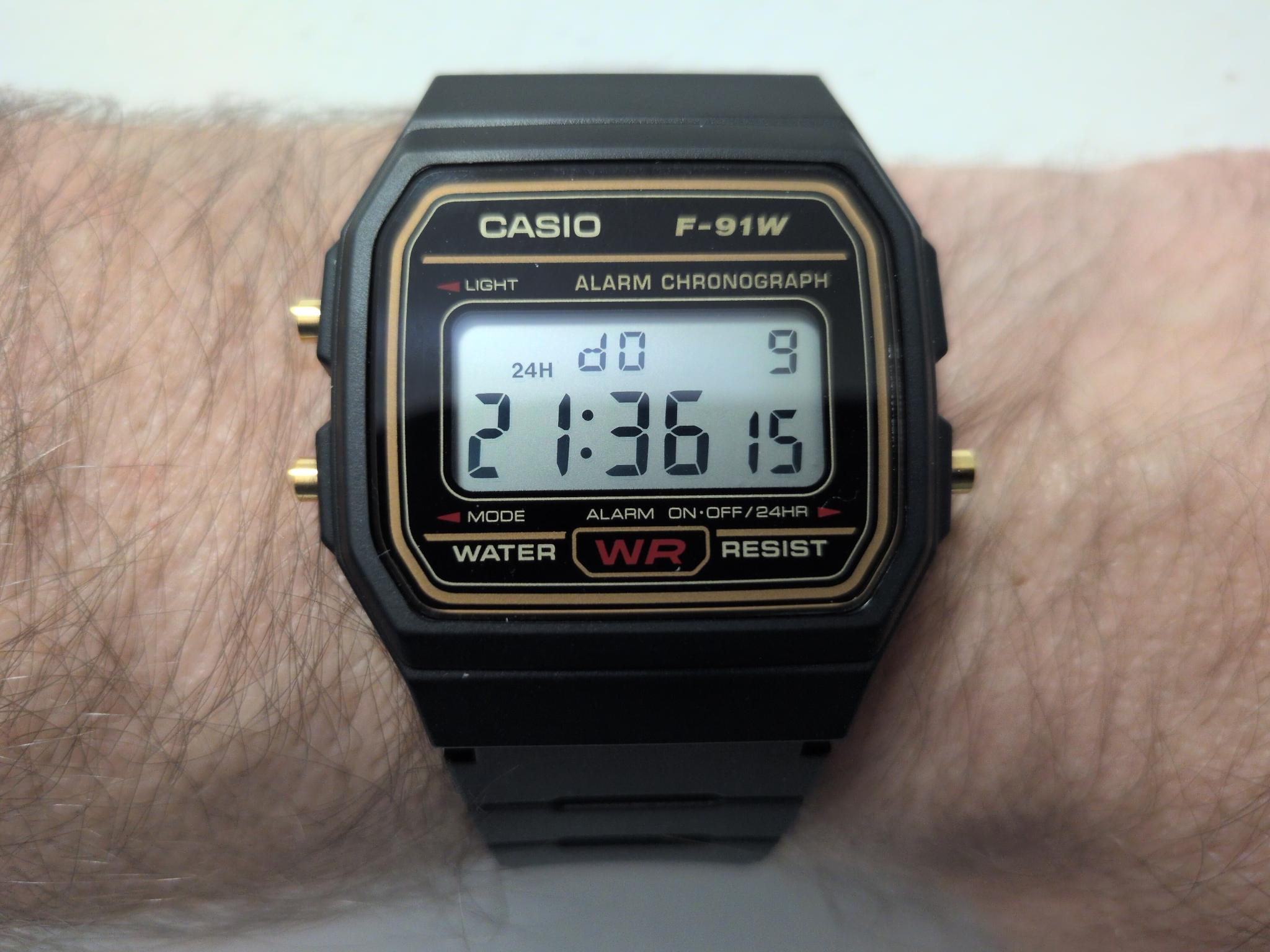
The Ollee Watch One has a few more features, some of which are useful, while others are a bit questionable. The games are nice, but I’ve turned them off. The same goes for the temperature display, since the temperature always reads significantly higher than it actually is due to skin contact. I haven’t actually tested the heart rate monitor yet, so I can’t say much about it. Another great feature is the ability to adjust the color and brightness of the backlight.
It’s not really a feature, but it comes with the Ollee Watch: an NFC tag. You stick it on the back of the white film behind the LCD, and it doesn’t directly affect the watch’s functionality. However, you can then use the watch as an NFC tag to, for example, control your Home Assistant or automate tasks on your smartphone. I’ve installed it but haven’t really put it to use yet.
Last Words
To sum it up, I think the Olle Watch One is fantastic and has replaced the ABL-100WE for me. The design of the F-91W is simply perfect, and it’s no wonder it’s been in production unchanged for nearly 40 years. The app runs smoothly, feels polished, and does what it’s supposed to. The step counter could be more accurate, but it’s sufficient for my needs for now. Having multiple timers without having to fiddle with the watch every time is very helpful.
The Ollee Watch One turns the F-91W into a sleeper smart watch with a retro design and many useful features, without spying on you or distracting you. The watch is both basic and feature-rich, and is almost exactly what I was looking for.