
My own custom backup solution: backupkrake
Posted onSo far, I’ve tried out a lot of different ways to back up data at home and on remote servers: bash scripts with rsync, various cron jobs that run Borg, Synology’s backup solution (back when I still had one of their NAS devices), Nextcloud, Seafile, and many more. None of these were satisfactory because the solution was either proprietary, couldn’t be monitored centrally, or was being used for a purpose other than its intended one.
That’s why it was time to build something custom. The result of this project was a central backup solution called backupkrake. It can do the following:
- Pull over SSH: the server connects to each client as
rootand copies files withrsync. Clients need onlyrsyncand the server's public key, no agent. - Non-root hosts: back up just your home folder on systems where you only have a normal account (e.g. shared Unix systems), with a key locked to that folder.
- Hardlinked snapshots: every snapshot is a complete, browsable directory tree. Unchanged files are hardlinked to the previous snapshot, so each new snapshot only uses space for changed files.
- Backup windows & bandwidth limits: per host, e.g. only between 22:00 and 06:00 at max 20 MiB/s; a backup still running when the window closes is stopped and resumes the next night.
- Retention: keep the last N snapshots plus N daily, weekly and monthly ones, applied after every backup.
- Push-restore: put files or folders from any snapshot back onto a client (staging dir, original location or another folder, even on another host), with a dry-run preview first.
- Notifications: ntfy and/or Pushover push messages when a backup fails or a host has had no successful backup for N days (optionally also warnings, offsite/restore failures, and "OK again"). An optional hourly heartbeat to healthchecks.io/Uptime Kuma covers the server itself being down.
- Web UI: manage hosts, cron schedules, live logs with a progress bar (files checked, data transferred, speed, time left), run history and a snapshot browser with file and
.tar.gzdownloads. - Encrypted offsite copy: restic uploads the latest snapshot of every host to S3, B2, SFTP, a rest-server, etc., with its own retention policy and a restore option.
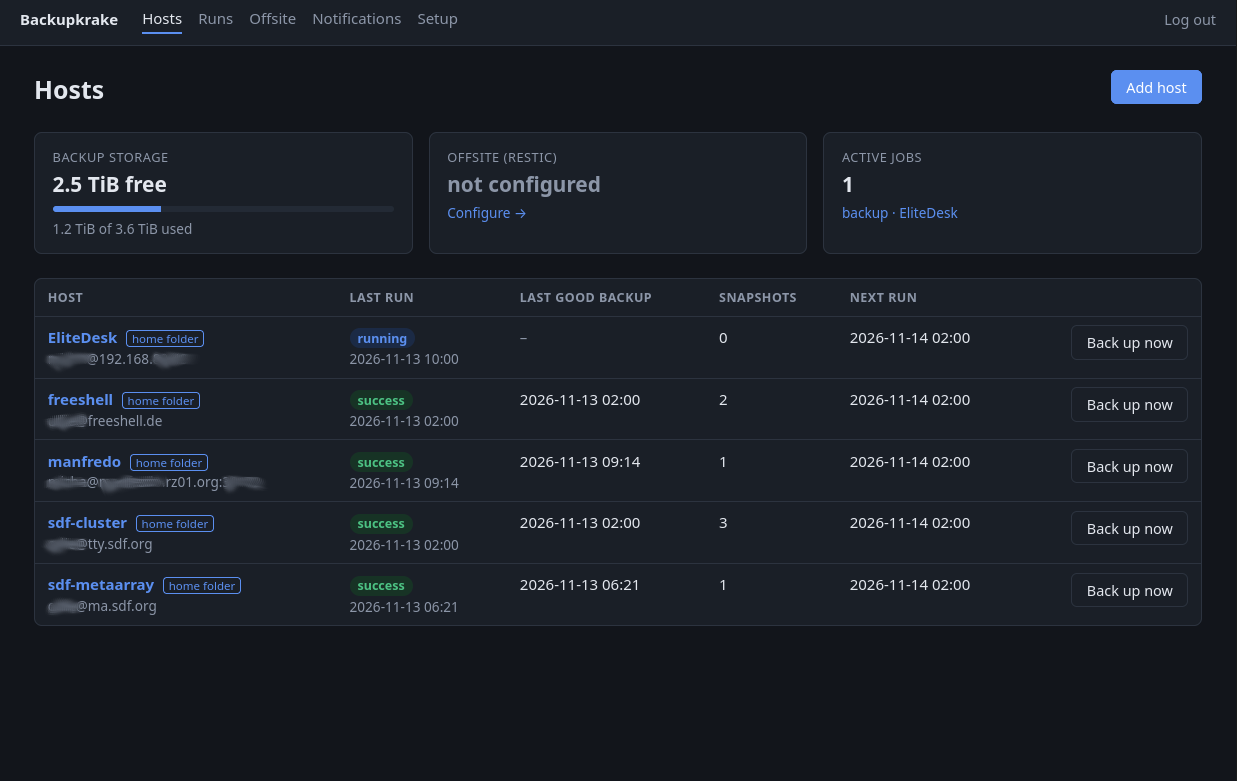
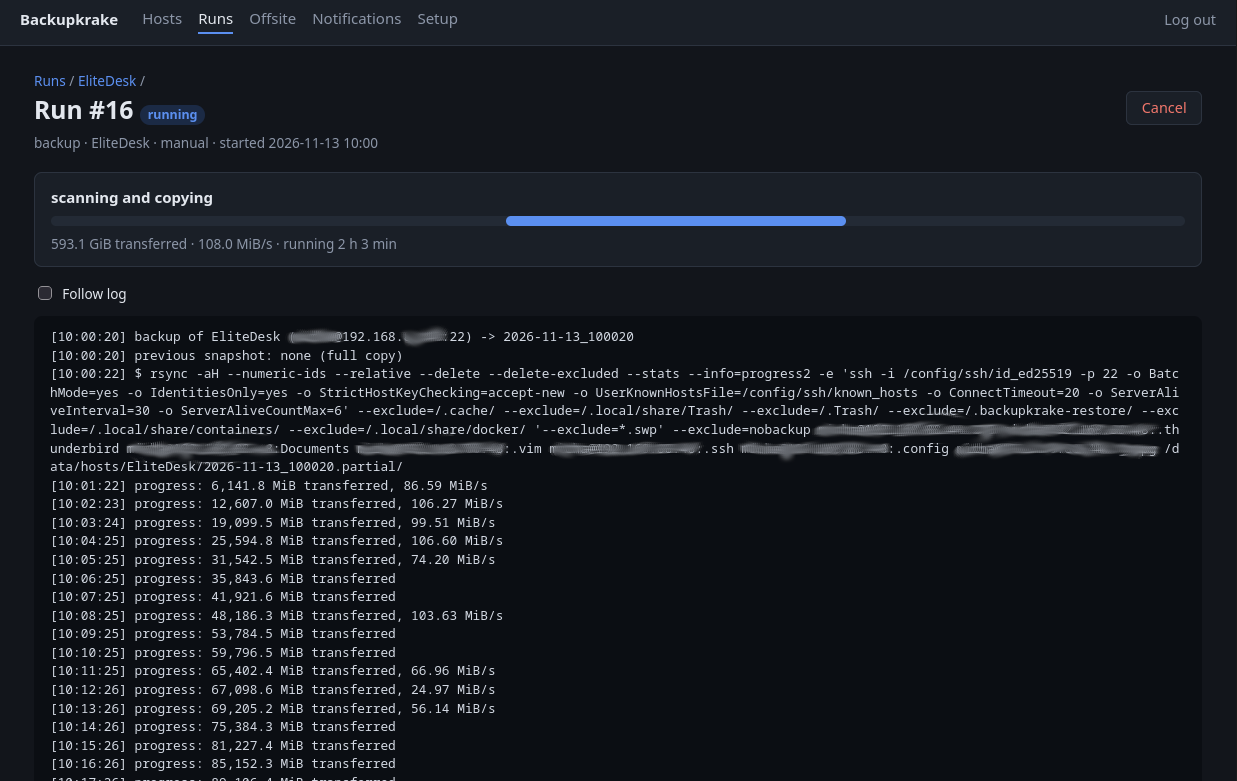
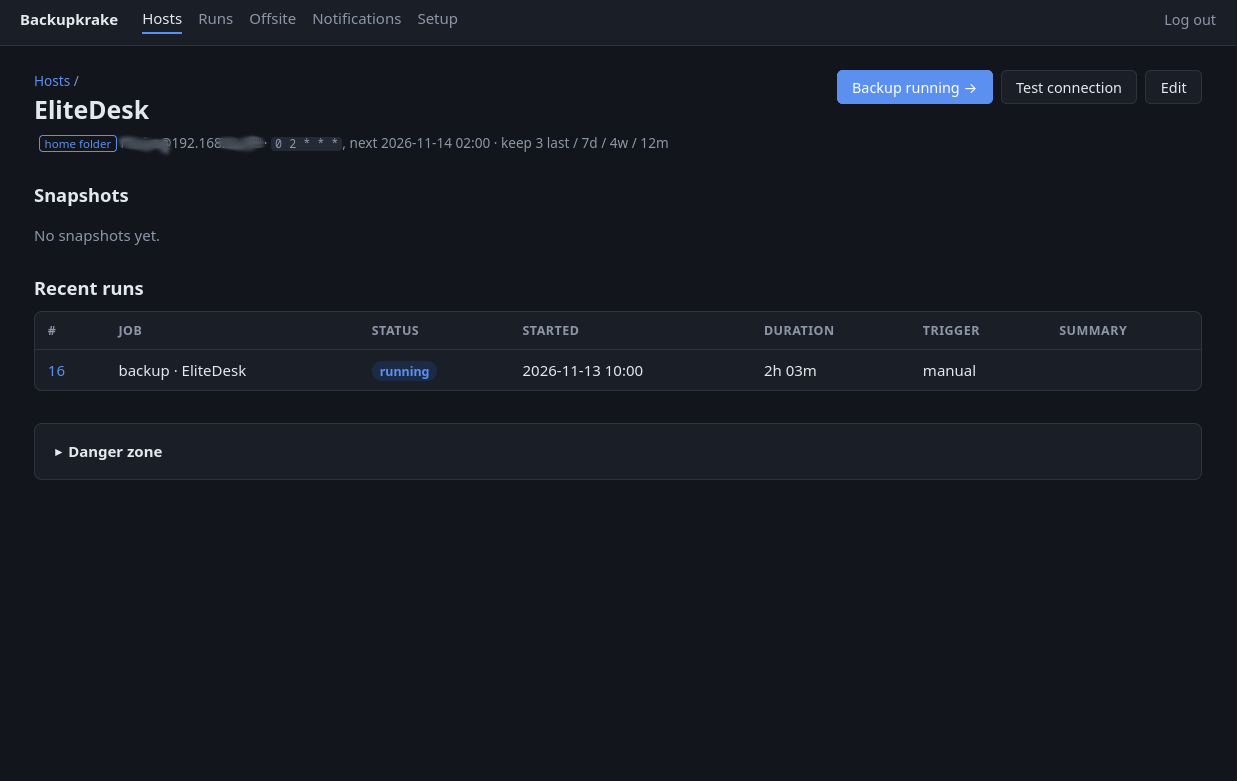
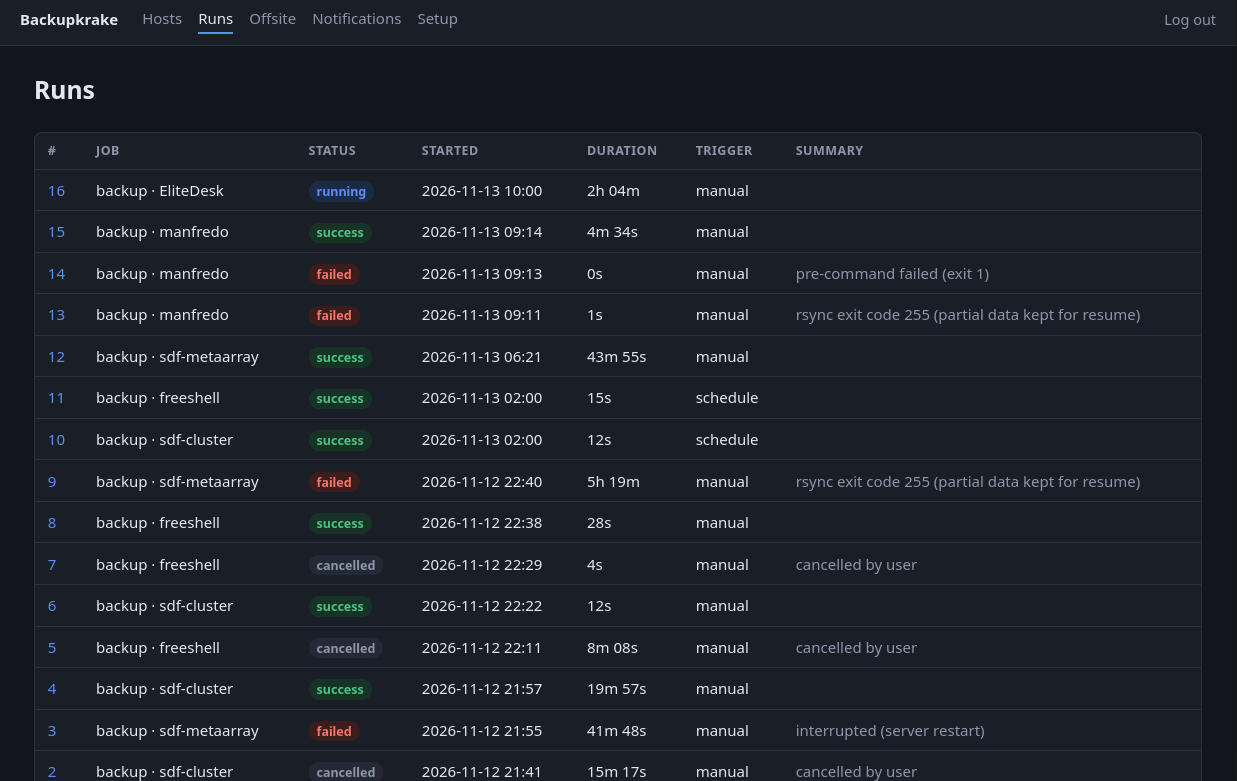
This solution, which is very easy to deploy using Docker, looks like this (Please note: All images are in greyscale on this website. For the color version, please have a look at the github repo below):
Overview of all configured hosts
Monitoring of an active backup run
Detail view of one host and its executed runs
Overview of all runs so far
The project is still in its early stages, but I haven't encountered any problems so far. The backups run reliably, I have all my data available in unencrypted form, can restore it or easily download it via the web interface, receive push notifications when something isn't working or is working again, and can see the status of my backups in one central location.
All the details about this and more can be found on the project page on GitHub: https://github.com/DK1MI/backupkrake